

- HOME
- Work Inspection Camera
- Application Example
- Functional Testing of Display Devices
Functional Testing of Display Devices [RICOH SC-20 internal case study]
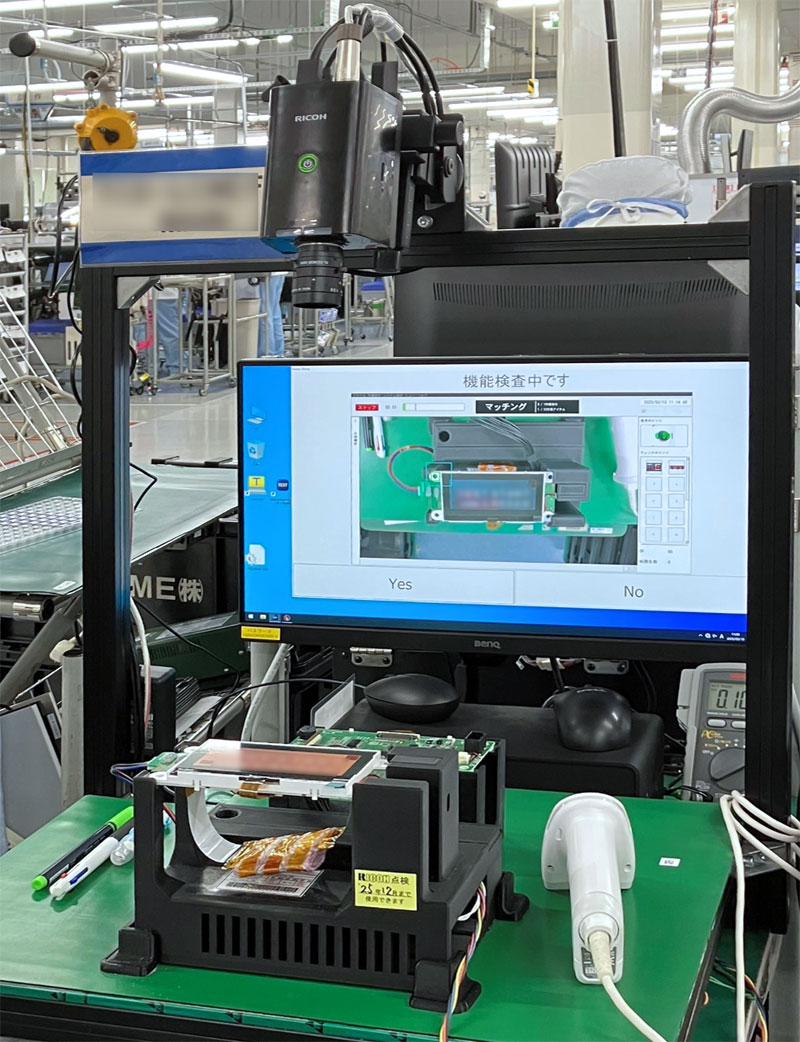
Internal case study of a function test being conducted towards embedded display devices.
SC-20 has been introduced to recognize the information displayed on the panel and compare it with the master image to determine if the display is working properly.
This is an example which demonstrates that the contents displayed on the panel can be inspected in addition to the inspection of the assembly operations.
Inspection Method
Conventionally, inspection programs were run on a single inspection machine, and functional tests were conducted by worker’s manual inspection.
The inspectors were required to manually inspect the characters displayed on the device's screen to assure that the functions were running correctly.
The inspectors were required to manually inspect the characters displayed on the device's screen to assure that the functions were running correctly.


Effects after the Installation
Issues before the installation
- Both operation of the inspection programs and the inspection of the panel display were conducted manually.
- Workers were required to activate each inspection process manually, after each inspection.

Improvements made after the installation
- The inspection could be complete with one simple step of activating the start trigger.
- The function test conducted by the prior inspection program and the image inspection conducted by SC-20 had been linked together, allowing the the whole inspection flow to be automated.